Plugin
OpenAPI Try it
@apiuikit/openapi-try-it-plugin
On this page
A "Try it out" plugin for apiuikit. Users fill in parameters, auth, and a body, send the request, and inspect the response — from the docs.
This package is not bundled with apiuikit. Install it and pass it as a plugin.
Install#
npm install @apiuikit/openapi-try-it-pluginPeer dependencies: apiuikit ^1.7, React 18+.
Usage#
Pick one of the two layouts, or register both.
Tab (default)#
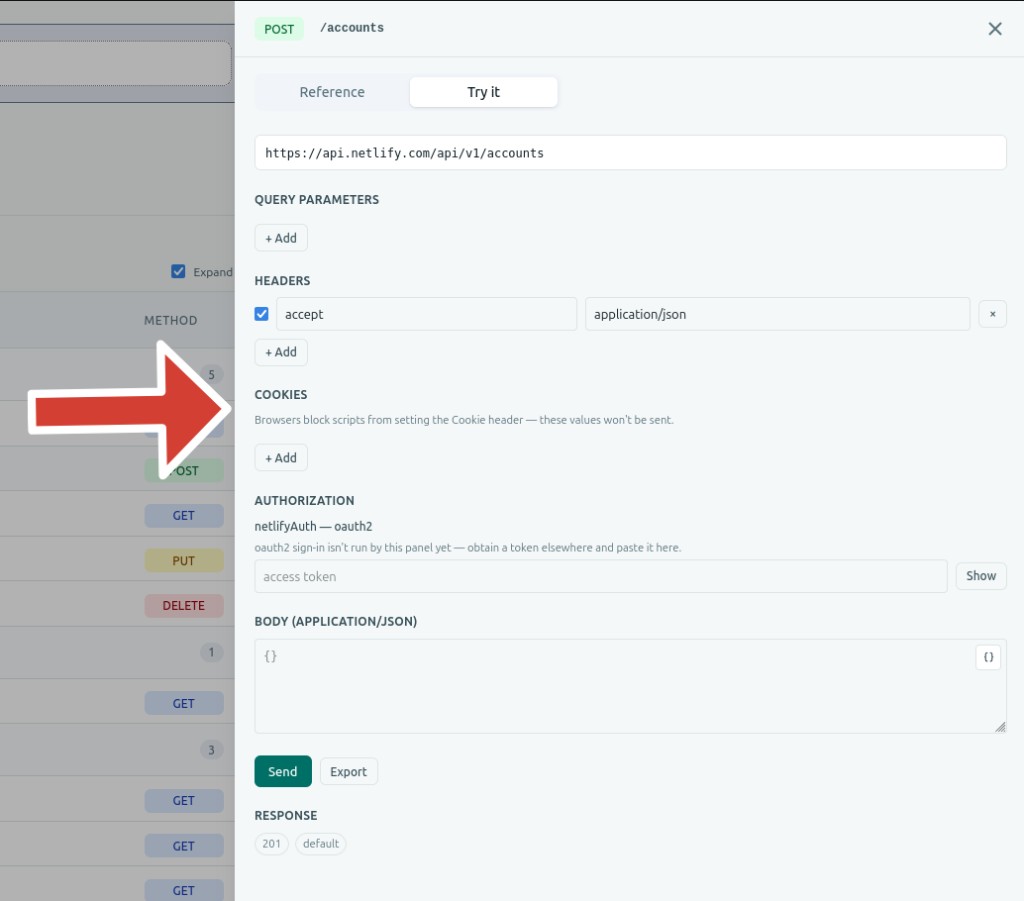
Fills the openapi.operation.tab slot — a Try it tab next to the built-in Reference tab.
import { OpenAPI } from "apiuikit";
import tryItPlugin from "@apiuikit/openapi-try-it-plugin";
import "apiuikit/style.css";
import doc from "./openapi.json";

const plugins = [tryItPlugin];

export default function App() {
  return <OpenAPI openapi={doc} plugins={plugins} />;
}
Keep the array stable by defining it outside the component or with useMemo. Creating a new array on every render re-registers the plugins and can reset the selected tab.
Button#
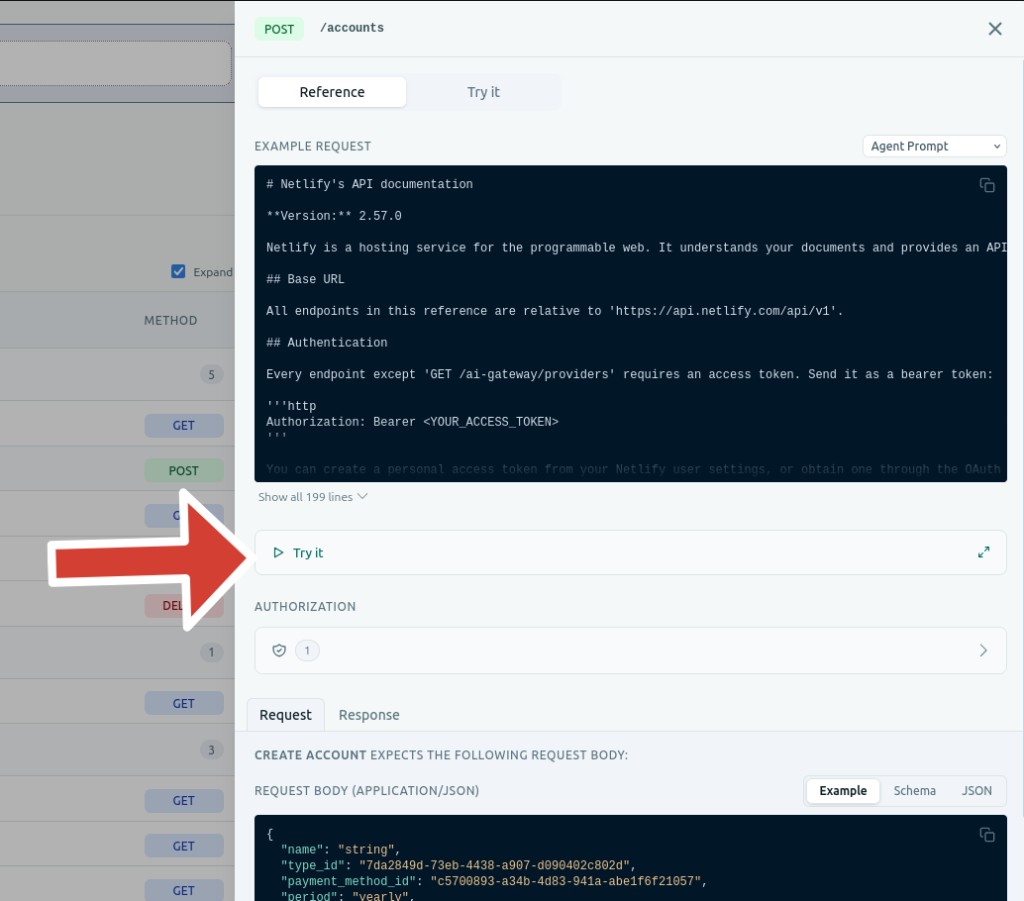
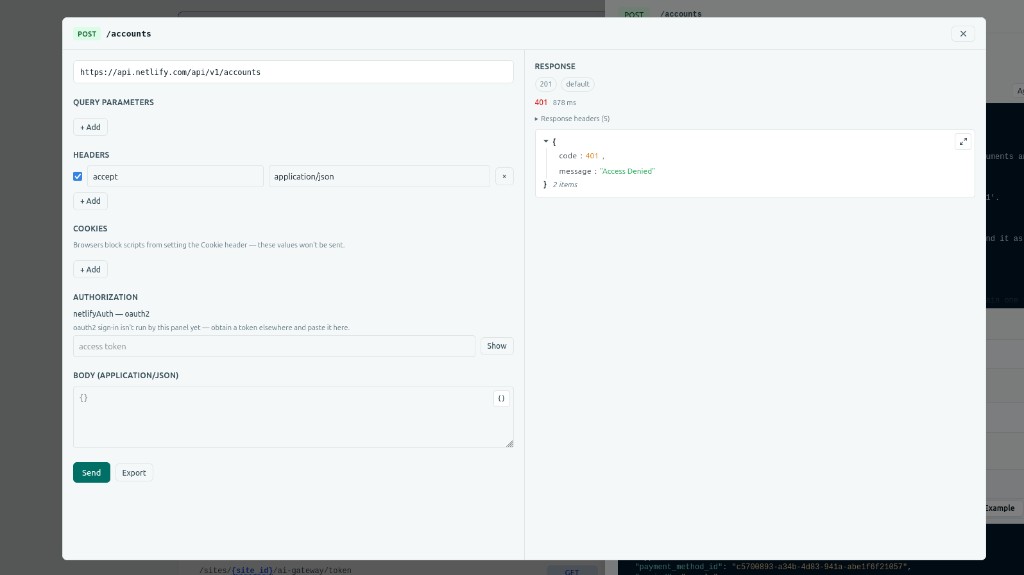
Fills the openapi.operation.reference.supplementary slot — a Try it row on the Path side panel. Clicking it opens a modal with the request on the left and the response on the right.
The image below shows the modal that opens when you click the "Try it" button above.
import { OpenAPI } from "apiuikit";
import { createTryItButtonPlugin } from "@apiuikit/openapi-try-it-plugin";
import "apiuikit/style.css";
import doc from "./openapi.json";

const plugins = [createTryItButtonPlugin()];

export default function App() {
  return <OpenAPI openapi={doc} plugins={plugins} />;
}Both#
import tryItPlugin, { createTryItButtonPlugin } from "@apiuikit/openapi-try-it-plugin";

const plugins = [tryItPlugin, createTryItButtonPlugin()];
You can pass plugins to OpenAPI, OpenAPIRenderer, OpenAPIProvider, or a standalone section that receives a document prop. When a section is inside a provider, it uses the provider's plugins.
CORS#
Requests go from the browser. If the API does not allow your origin, the browser will block them.
This package does not ship a proxy. If you have one, pass it:
import { createTryItPlugin } from "@apiuikit/openapi-try-it-plugin";

const plugins = [createTryItPlugin({ proxyUrl: "https://your-proxy.example.com/tryit" })];
Requests then go to ${proxyUrl}?target=<url-encoded API URL> instead of the API origin.
createTryItButtonPlugin accepts the same proxyUrl option.
Supported auth#
| Scheme | Behavior |
|---|---|
| API key (header / query) | Input field |
| HTTP Bearer | Token input |
| HTTP Basic | Username + password |
| OAuth2 client credentials | Fetches a token from the token URL |
| OAuth2 authorization code (+ PKCE) | Login popup, then token exchange |
| Other OAuth2 / OpenID Connect | Paste a token obtained elsewhere |
OAuth2 authorization-code redirect URIs must be same-origin with the page hosting apiuikit.
Cookie API keys cannot be sent from the browser (Cookie is a forbidden Fetch header).
Export#
After building a request, export it as a Postman collection, an Insomnia collection, or a HAR file from the Export menu.
Write your own#
Try it is a separately-installed package that fills apiuikit's plugin slots. To add a different tab or inline control, see Plugins in the docs.